Food labels can look like a wall of small numbers, and an AI app can turn a photo or a barcode scan into a short summary in seconds. That speed is useful, but it does not make the app result the label itself. This article explains what AI does well, what it can get wrong, and how to check its answer against the pack in front of you, at the time of writing.
How AI reads food labels — and where it stops
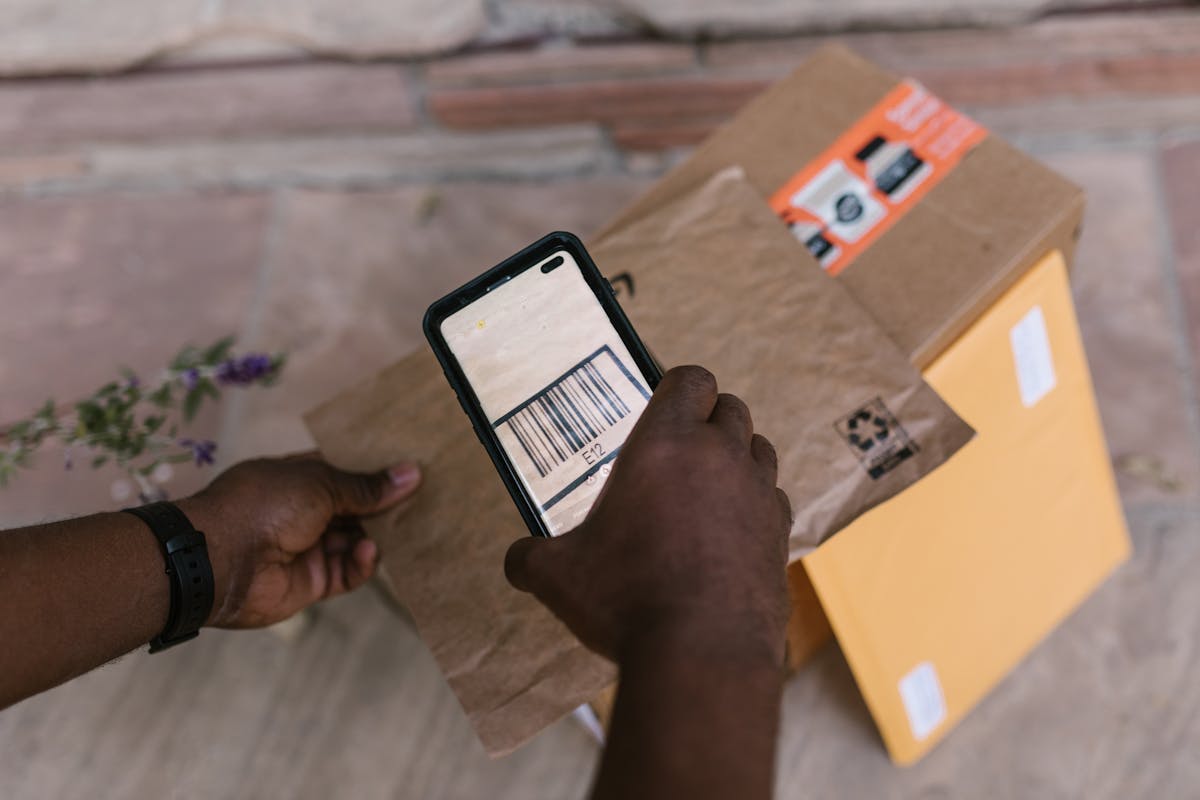
An app usually does one of three things. A barcode scan reads the printed pattern of bars on the pack, called a barcode, and looks that code up in a database. A photo scan uses image recognition, which means software that tries to identify what is in a picture, to guess the food and the portion size. A text search lets you type or speak a food name and pick a matching entry.
Each route has a different weak point. A barcode match depends on the database entry being the same product, recipe, and pack size as the one in your hand. A photo guess depends on the angle, the light, and whether the dish is mixed or partly eaten.
Sibylle Kranz, a researcher at the University of Virginia School of Education and Human Development and a registered dietician, tested several popular AI diet-tracking apps by signing up for free trials and creating different profiles and health goals. She found a mix of convenience and possible inaccuracies. About photo results, she said: “Although AI has come a long way, it’s a guessing game still.”
Apps can collect eating habits, location data, body measurements, and emotional well-being, so read the data protection policy first. Treat every AI result as a first draft. If the food, brand, portion, or any number looks off, read the pack. The app may have found a similar product, not your product.
Start with the printed label, not the app result
The United States Food and Drug Administration, known as the FDA, publishes a guide to its Nutrition Facts label. Start at the top. First, look at servings per container and serving size. Serving size is the amount people typically eat or drink at one time. The FDA states clearly that serving size is not a recommendation for how much you should eat or drink.
Every number below serving size belongs to one serving, not to the whole pack. In the FDA sample label for frozen lasagna, one serving is 1 cup and contains 280 calories. The pack holds 4 servings, so the whole pack contains 1,120 calories. If you eat 2 cups, you double the calories and the nutrients shown.
Next, look at calories, which measure the energy in one serving. The FDA uses 2,000 calories a day as a general guide. Then look at nutrients in two groups. The FDA lists saturated fat, sodium, and added sugars as nutrients to get less of. It lists dietary fiber, vitamin D, calcium, iron, and potassium as nutrients to get more of.
How to use the percent daily value
Percent Daily Value, written as %DV, turns grams and milligrams into a shared scale. It shows how much of a nutrient in one serving contributes to a total daily diet. The FDA guide is simple: 5% DV or less per serving is low, and 20% DV or more per serving is high.
In the FDA sample, one serving of lasagna has 850 milligrams of sodium at 37% DV, which is high by that guide. Two servings would give 1,700 milligrams at 74% DV. The FDA daily reference amounts, based on a 2,000-calorie diet, include 20 grams for saturated fat, 2,300 milligrams for sodium, 28 grams for dietary fiber, and 50 grams for added sugars.
Total sugars and added sugars are easy to mix up. Total sugars include sugars that occur naturally in foods such as milk and fruit, plus any added sugars. Added sugars are sugars added during processing, including sucrose, dextrose, table sugar, sugars from syrups and honey, and sugars from concentrated fruit or vegetable juices. The word “includes” before added sugars means the added amount is already inside the total, so do not add the two numbers together. In the FDA example, a sweetened yogurt with 15 grams of total sugars and 7 grams of added sugars has 8 grams of sugars that occur naturally in the milk. Some larger packs use a dual-column label, showing amounts per serving and per package side by side. Use the column that matches what you actually ate.
The other format you may meet: UK traffic-light labelling
Not every pack uses the FDA format. In the United Kingdom, many packs use a traffic-light system on the front, explained in a guide from Milton Keynes University Hospital NHS Foundation Trust. Green means low, amber means medium, and red means high, for an amount per 100 grams.
The Trust guide gives thresholds per 100 grams. For sugars, low is 5 grams or less, medium is 5.1 to 15 grams, and high is more than 15 grams. For fat, low is 3 grams or less, medium is 3.1 to 20 grams, and high is more than 20 grams. For saturated fat, low is 1.5 grams or less, medium is 1.6 to 5 grams, and high is more than 5 grams. For salt, low is 0.3 grams or less, medium is 0.3 to 1.5 grams, and high is more than 1.5 grams.
Those numbers are per 100 grams, not per serving, so do not compare a traffic-light colour directly with a %DV number. A colour shows the level in a fixed 100-gram amount. Red does not always mean stop: cheese can be high in fat and still provide calcium and protein. A %DV shows the share of a daily reference amount in one serving.
Ingredients are listed in descending order of amount, so the first items are present in the largest amounts. The guide also notes that 14 major allergens must be emphasised in the ingredients list, including cereals containing gluten, peanuts, tree nuts, fish, crustaceans, soya, milk, sesame, molluscs, mustard, eggs, celery, sulphur dioxide, and lupin. If you need to avoid an ingredient, read that list on the pack itself, not in an app summary.
Reference intakes, shortened to RI, use UK reference amounts of 2,000 kilocalories for energy, less than 70 grams for fat, less than 20 grams for saturates, 90 grams for sugars, and 6 grams for salt, based on an average adult. Treat those amounts as a guide for comparison, not as a personal target. When you buy an imported pack, check which format you hold before you judge it.
Where AI guesses go wrong
Photo estimates fail in ordinary ways. A photo can hide sauce under a topping, miss oil used in cooking, or mistake one dish for a similar one. A portion can look smaller or larger depending on the plate and the camera angle. Kranz found this in her own testing and said, in short: “The accuracy is just not there.”
Crowdsourced databases add a second problem. Some apps build their food lists from entries added by users, and those entries can be inconsistent or inaccurate. Kranz described an experience where she confirmed an item, added it to the database, and a week later the same item was identified differently or with changed ingredients. If an app result changes for the same food, check the pack and correct the entry.
Barcode results can also mislead. A barcode can match an older recipe, a different flavour, or a pack from another country with a different label format. A product can change its recipe while keeping a similar pack design. A database entry can also carry a serving size that does not match the pack in your hand. The scan looks clean and fast, and the error hides behind that clean look.
A careful way to use AI and the label together
Use a simple routine. First, scan or photograph the pack and read the app result. Second, read the pack itself: serving size, servings per container, calories, and the nutrients you care about. Third, compare the two. If they match, you have a useful record. If they differ, correct the app record or pick the entry that matches the pack.
Try this with two packs of the same kind of food, such as two soups or two yogurts. Start with the serving size on each pack, because a smaller serving can make a pack look lower in every number. Then compare the same nutrient across both packs, using %DV on FDA labels or per 100 grams on traffic-light labels, but not mixing the two scales in one comparison. Then read the ingredients list and check where sugar, fat, or salt sits in the order.
For a mixed meal, treat each food separately if you want a record you can check later. A single photo of a full plate gives the app one guess for a complex mix, and that guess is harder to verify than three simple entries. If you use a photo, add a short note about the portion and the main ingredients while you still remember them.
If an app gives you a recommendation that sounds like personal health advice, treat it with extra care. This article does not give personal advice, and an app summary should not replace a conversation with a qualified healthcare professional about your own situation.
Frequently asked questions
Can an AI app replace reading the label?
No. An app can save typing and suggest a match, but photo estimates can misread a food or a portion, and a barcode result can point to an old recipe or a different pack size. Read the pack, compare it with the app result, and correct the record when they differ.
Why do two packs show different numbers for a similar food?
Serving size is often the reason. A pack with a smaller serving will show smaller numbers, even if the food is similar. Compare the same nutrient using the same basis: %DV on FDA labels, or per 100 grams on traffic-light labels. Also check the ingredients order and whether the pack uses a dual-column label.
Should I trust a traffic-light colour or a percent daily value more?
Neither is better on its own, because they measure different things. A traffic-light colour shows whether an amount per 100 grams is low, medium, or high. A %DV shows the share of a daily reference amount in one serving. Use the system that is on the pack you hold, and do not convert one into the other by guesswork.
AI can make food labels faster to read by filling in the typing, but the printed label still does the final job of saying what is in the pack, in what serving, and in what amount. Start with the scan, check the pack, and keep the record you can verify.
If you would like help turning a label-reading habit into a simple, repeatable routine for your business or your team, explore our services or get in touch through our contact page.
This article is for general information and is not medical advice. Please speak to a qualified healthcare professional about your own situation.
What to watch next
Update this article when any of these change: the FDA revises its Nutrition Facts guide or daily reference amounts; UK traffic-light thresholds or reference intakes change; a widely used AI label app changes how it matches barcodes or photos, or publishes new accuracy information; or the University of Virginia expert publishes follow-up testing. When an update is made, record the new Last updated date and note what changed, rather than changing the date alone.
Sources
- U.S. Food and Drug Administration — How to Understand and Use the Nutrition Facts Label — date checked: 2026-10-30 — https://www.fda.gov/food/nutrition-facts-label/how-understand-and-use-nutrition-facts-label
- Milton Keynes University Hospital NHS Foundation Trust — A Guide to Food Labelling — published 06/2006, review date 02/2024, date checked: 2026-10-30 — https://www.mkuh.nhs.uk/document/understanding-food-labels
- University of Virginia — A UVA nutrition expert tested AI diet-tracking apps. Here’s what she found — published 2026-08-31, date checked: 2026-10-30 — https://news.virginia.edu/content/uva-nutrition-expert-tested-ai-diet-tracking-apps-heres-what-she-found